


 About Us
 Terms
Terms
 Privacy
 Community Guidelines
How to Arrange Your Room for Better Viewing: Seating Distance, Lighting, and Glare
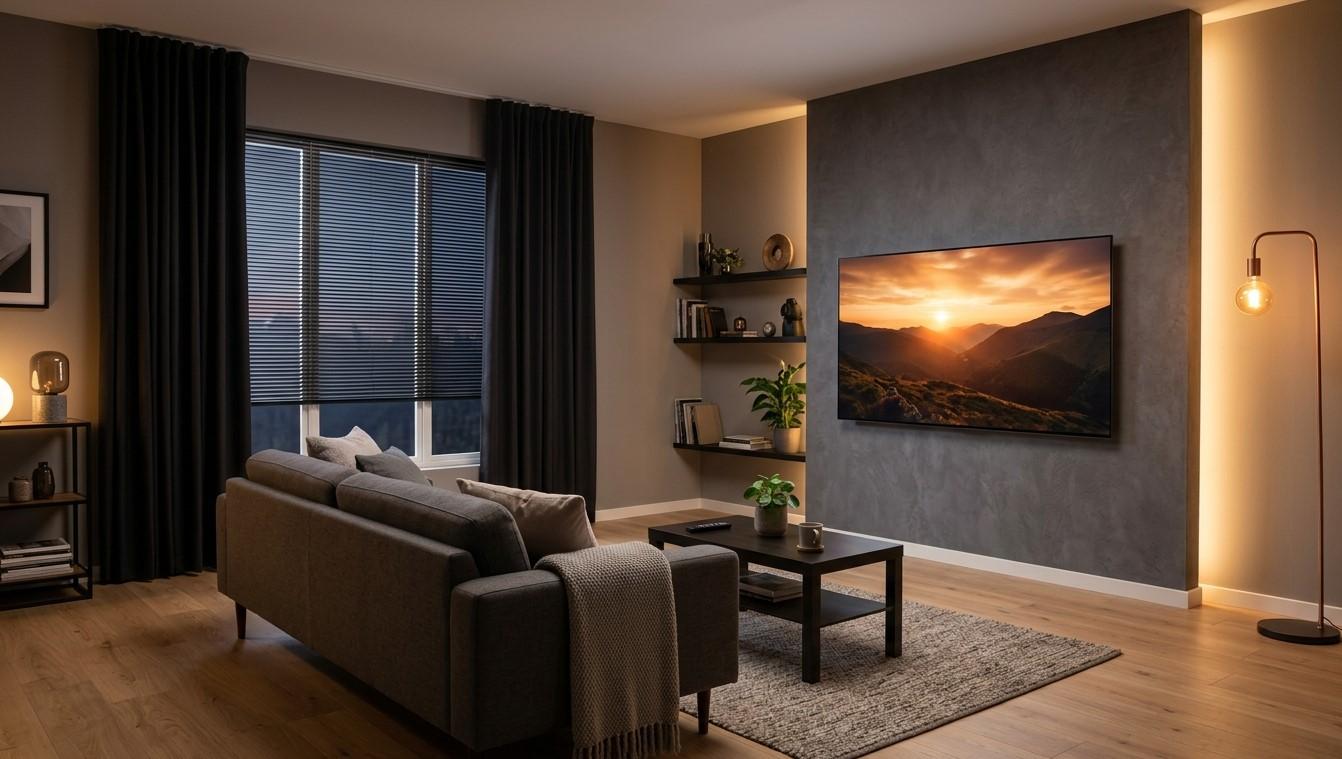
You can own an excellent TV and still enjoy a worse picture than someone with a cheaper one, simply because of where the screen sits, how far away you are, and what the room’s lights are doing. A few small changes cost almost nothing and make a visible difference. In this guide, we’ll cover seating distance, placement, lighting, and glare, so your IPTV India channels look their best on the screen connected to your Indian IPTV Box.
Table of Contents
- Start With the Screen Position
- Seating Distance
- Viewing Angle and Seating Layout
- Lighting Basics
- Fighting Glare and Reflections
- Picture Settings That Match Your Room
- Comfort and Safety
- Sound and Layout
- A Quick Room Checklist
- FAQs
Start With the Screen Position
Where the TV sits matters more than most people realize.
- Height: The center of the screen should be roughly at eye level when you’re seated. A TV mounted too high, such as above a fireplace, strains the neck and can reduce picture quality on some panels viewed from below
- Angle: A slight tilt can help if the TV must be high, but it’s better to place it lower
- Stability: Use a sturdy stand or a mount rated for the TV’s weight, and anchor it according to the manufacturer’s instructions. Falling TVs are a real hazard, especially with children and pets
- Location: Avoid placing it directly opposite a bright window, and leave room for ventilation and your remote’s line of sight
Seating Distance
A common starting point is to sit at roughly 1.5 to 2.5 times the screen’s diagonal measurement, though personal preference and room size vary.
| TV Size | Rough Distance Range |
|---|---|
| 43 inches | About 5.5 to 9 feet |
| 50 inches | About 6 to 10.5 feet |
| 55 inches | About 7 to 11.5 feet |
| 65 inches | About 8 to 13.5 feet |
| 75 inches | About 9.5 to 15.5 feet |
These figures are guidelines. Other factors matter too:
- Source quality. Standard and lower-quality channels look softer up close, so you may prefer to sit farther back for older programs
- Resolution. A 4K screen can be viewed from a bit closer without seeing individual pixels, but most live channels aren’t 4K
- Sports and movies. Some people like to sit closer for immersion, others prefer a wider view
- Eyesight and comfort. Let comfort be your final guide
If you can’t see small on-screen text, such as score graphics, you’re probably too far or the screen is too small for the room.
Viewing Angle and Seating Layout
- Sit as close to centered as you can, since picture quality and color can change when viewed from the side, especially on some LCD panels
- Arrange seating in an arc, so everyone has a decent angle
- Don’t line seats up on one side if you can avoid it
- Leave room for movement, and keep walkways clear of cables
- Plan for the people who watch most. Place the best seat where the main viewers sit, and test the view from other seats
OLED panels generally hold up well off-axis, while some LCD types lose contrast and color from an angle. Reviews of your TV model will tell you more.
Lighting Basics
Light affects how we see contrast and color, and how tired our eyes get.
- Avoid a completely dark room for long viewing. A dim, soft light behind or beside the TV reduces eye strain by lessening the contrast between the bright screen and a black wall
- Use soft, indirect lighting, such as a lamp with a shade, or bias lighting placed behind the TV
- Avoid bright overhead lights directly above or in front of the screen
- Use dimmers or adjustable bulbs so you can change the brightness for day and night viewing
- Choose warm or neutral white bulbs for evening comfort, if you prefer a relaxed feel
- Keep lights out of the viewing area so they don’t shine into your eyes
For daytime viewing, such as a morning match, you may need more screen brightness to compete with ambient light. For evening viewing, lower the brightness. Our guide on reducing eye strain covers breaks and habits as well.
Fighting Glare and Reflections
Glare is light bouncing off the screen into your eyes. It makes dark scenes hard to see and tires your eyes.
- Find the sources. Sit where you normally watch, turn the TV off, and look at the screen. Whatever you can see reflected is a problem
- Control windows. Use curtains, blinds, or shades, and consider blackout options for rooms used for daytime sports
- Reposition the TV or seating so windows are beside the screen instead of behind you or directly opposite it
- Move or shield lamps that reflect in the screen
- Choose matte finishes where you can, since glossy screens reflect more. Some TVs have anti-glare coatings, and a matte room look, with dark walls and fewer shiny surfaces, helps too
- Avoid light-colored walls directly behind and beside the screen if reflections are strong, or soften them with window coverings
- Tilt the TV slightly if reflections come from above or below
- Use a hood or shade for a TV in a very bright room
Don’t use cleaning products on the screen unless the manufacturer says they’re safe. A dry microfiber cloth is the usual recommendation.
Picture Settings That Match Your Room
Your TV’s settings should fit your lighting:
- Use a day or bright mode for sunny rooms, and a movie or cinema mode for dim ones, where available
- Adjust backlight or brightness to suit the room, instead of leaving it at the maximum
- Turn off excessive processing, such as heavy sharpening and motion smoothing, if it makes the picture look artificial
- Use an auto-brightness feature if you like it, though some viewers find it distracting
- Check the aspect ratio settings, as discussed in our guide to stretched and cropped pictures
- Match color temperature to your preference. Warmer tones can feel more natural in the evening
Settings vary by TV, so check your manual.
Comfort and Safety
- Take breaks during long sessions, and follow the 20-20-20 habit from our eye strain guide
- Keep your neck and back comfortable, with seating that supports you
- Keep the TV and cables out of reach of children and pets, and secure heavy items
- Keep vents clear so the TV and box don’t overheat
- Keep cables tidy and out of walkways, following our cable management guide
Sound and Layout
- Place speakers or a soundbar at the front, below or near the screen, and keep them unobstructed
- Avoid pushing speakers into a corner or cabinet, which muddies sound
- Consider the room’s acoustics. Bare walls and floors reflect sound, while rugs and curtains absorb it
- Position the seats within the effective sound area
Our guides to ARC and soundbars cover connection options.
A Quick Room Checklist
- Screen center at about eye level when seated
- Seating distance suited to screen size
- Seats roughly centered, with decent angles for everyone
- No windows or lamps reflecting on the screen
- Soft, indirect light in the room, not total darkness
- Picture settings adjusted for day and night
- TV and box ventilated and secured
- Cables tidy and out of reach
- Sound unobstructed
FAQs
1. How far should I sit from my TV?
A common starting point is about 1.5 to 2.5 times the screen’s diagonal. Adjust for comfort, source quality, and room size.
2. Is it bad to watch TV in a completely dark room?
It isn’t harmful in itself, but a very bright screen against a dark room can tire your eyes. Soft background lighting helps.
3. How do I get rid of reflections on my screen?
Find the sources with the TV off, then control windows, move lamps, adjust the TV’s angle, and use curtains or blinds.
4. Does room layout affect how my IPTV looks?
Yes. Lighting, glare, and seating distance change how the picture appears, even though the stream is identical.
5. Should I change picture settings for day and evening?
Often, yes. Brighter settings help in daylight, and lower brightness is more comfortable at night.
Make Every Channel Look Its Best
A little attention to placement, light, and glare can improve your viewing more than a new TV. Pair a dependable IPTV India subscription with a well-set-up Indian IPTV Box, and arrange your room for comfortable, enjoyable watching. Explore our IPTV plans today and enjoy a better view.


 Arabic
 French
