


 About Us
 Conditions générale de vente
 Confidentialité
 Community Guidelines
POS Software | Smart Sales, Billing & Inventory Solution
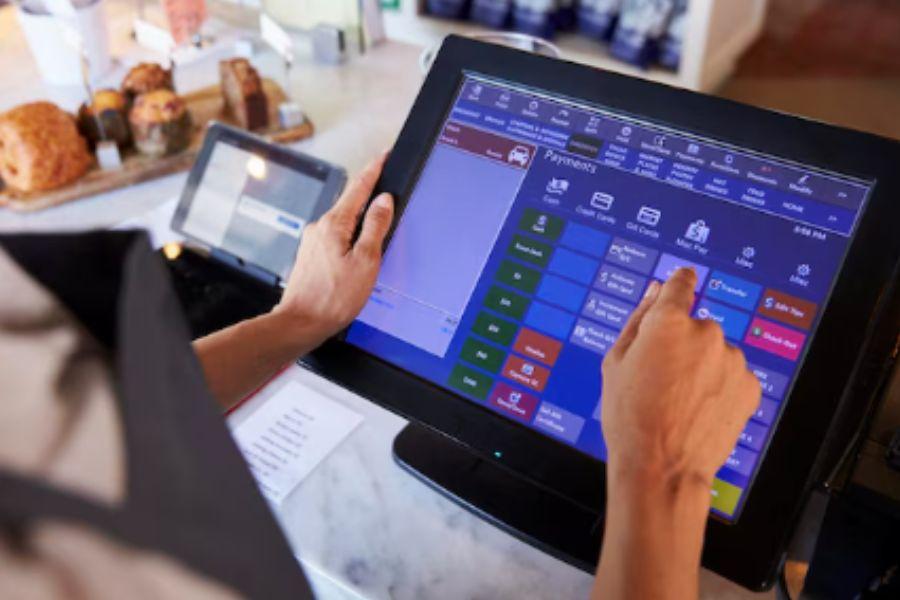
POS Software: Features, Cost Structures, and How to Assess Your Choices
The hardware at a checkout counter is easy to see, but the real power of a modern sales system sits in its software.Sales and inventory software decides how quickly staff can serve customers, how accurate your stock is and how much insight you get into your business. This guide focuses on the software side: what it does, the features that matter, how vendors charge and how to test a product before you commit.
What Is POS Software?
POS software is the program that processes sales, calculates taxes and discounts, records payments and stores transaction data. It runs on a computer, tablet, phone or dedicated terminal and connects to peripherals such as barcode scanners, receipt printers and card readers. Beyond the sale itself, it manages inventory, customers, employees and reporting, which makes it the operating system of a retail or hospitality business.
Core Functions of POS Software
Sales Processing
Staff add items by scanning, searching or tapping, apply discounts, accept payment and issue a receipt. Good software supports split payments, refunds, exchanges, held orders and gift cards without slowing the queue.
Inventory Control
Every sale reduces stock automatically. The software tracks variants such as size or colour, supports purchase orders and goods receiving, and warns you when items run low.
Customer Management
Customer profiles store contact details, purchase history and loyalty points . This data lets you run targeted promotions and recognise repeat buyers.
Staff Management
Individual logins, role-based permissions and shift records make every transaction traceable. Managers can limit sensitive actions such as voids and large discounts.
Reporting and Analytics
Dashboards show sales by hour, product, category and employee. Profit margins, slow-moving items and peak trading periods become visible without manual spreadsheets.
Deployment Models
Cloud-Based POS Software
Data lives on the vendor's servers and is accessed through an app or browser. Updates are automatic, multiple locations can be managed centrally and reports are available remotely. The trade-off is reliance on internet access, so offline mode matters.
On-Premise POS Software
The program is installed locally and data is stored on your own equipment. This gives more control and can work well in locations with unreliable internet, but it demands backups, security maintenance and technical support.
Hybrid Models
Some products keep a local copy of the data for offline selling and sync to the cloud when connected. This combines resilience with remote access and is increasingly common.
Pricing Models You Will Encounter
|
Model |
How It Works |
Watch Out For |
|
Monthly subscription |
Recurring fee per terminal, user or location |
Costs rising as you add devices |
|
One-time licence |
Single upfront payment |
Extra fees for updates and support |
|
Free or freemium |
Basic features at no charge |
Paid add-ons and higher processing fees |
|
Processing-based |
Lower software fee, higher card fees |
Being tied to one payment provider |
Always calculate total cost over several years, including add-ons, support plans and payment processing, not just the headline price.
Essential Features Checklist
-
Barcode and product management: Fast scanning, bulk import and flexible categories.
-
Multiple payment methods: Cash, cards, contactless, mobile wallets and split tender.
-
Tax configuration: Flexible rates, tax-inclusive or exclusive pricing and clear reports.
-
Offline mode: The ability to keep trading and sync later.
-
Multi-location support: Central control of products, prices and users.
-
Integrations: Links to accounting software, ecommerce platforms and marketplaces.
-
Customer loyalty tools: Points, discounts and gift cards.
-
Receipt customisation: Printed and digital receipts with your branding.
-
Data export: The right to download your information in standard formats.
Industry-Specific Capabilities
Different sectors need different tools, so check that the software fits your trade.
-
Retail: Variants, returns, stocktakes and supplier management.
-
Restaurants and cafés: Table layouts, kitchen display or ticket printing, modifiers and tipping.
-
Salons and services: Appointment booking, staff commission and package sales.
-
Wholesale and distribution: Customer-specific pricing, credit terms and invoices.
-
Online and in-store sellers: Real-time stock sync between channels.
Security and Compliance Considerations
POS software handles payment and customer data, so security cannot be an afterthought. Look for encryption of sensitive data, secure user authentication, regular updates and clear audit trails. Check that the vendor follows recognised payment security standards and local data protection laws, and confirm how backups are handled. Restrict administrator access to a small number of trusted people.
Businesses in Pakistan can use POS software Pakistan solutions to streamline billing, manage inventory, track sales, and handle daily transactions efficiently.
How to Evaluate POS Software Before Buying
-
List your requirements. Separate essentials from nice-to-haves.
-
Shortlist two or three products. Too many options lead to confusion.
-
Use a free trial or demo. Run real scenarios such as refunds, split bills and stock adjustments.
-
Test speed. Time how long a typical sale takes at the counter.
-
Check hardware compatibility. Confirm that your printers, scanners and card readers will work.
-
Ask about support. Find out response times, channels and training resources.
-
Review the contract. Check cancellation terms, price increase clauses and data ownership.
Migration and Setup Tips
Clean your product list before importing it, removing duplicates and fixing prices and barcodes. Set up user roles early, configure taxes carefully and print test receipts. Train staff with practice transactions, and run the new system alongside your old method for a short period if possible. Review your first week of reports to catch errors.
Trends in POS Software
Cloud dashboards, mobile checkout and contactless payments are now standard expectations. Vendors are adding built-in loyalty, online ordering and AI-assisted forecasting to help owners plan stock and staffing. Integration is the key theme: the best software connects smoothly with the other tools your business uses.
Mistakes to Avoid
-
Choosing a product because it is cheap without checking limits and fees.
-
Ignoring offline capability.
-
Overlooking support quality.
-
Skipping training.
-
Failing to back up or export data regularly.
Final Thoughts
Strong POS software speeds up service, reduces errors and turns everyday sales into useful business insight. Focus on the features your operation truly needs, compare total costs and test products withac real workflows before committing. With careful selection and good staff training, your POS software becomes a reliable foundation for growth.
Modern digital solutions help businesses simplify daily tasks, improve accuracy, and keep sales and operational records organized.


 English
 Arabic
